Choose one payment method
Payment methods.
Pay by card through Square, or follow the manual Cash App instructions for an available title.
Card payments through Square
Check card checkout availability on the order page.
Enter your contact and recipient information, review the total, then continue to Square to enter payment details. Square handles the card payment; your order status is verified from its records. This website does not ask for full card numbers or security codes.
Each available book is $19.99, with $7 shipping per book and 8.25% tax on books plus shipping. One copy totals $29.22; two copies in one Square order total $58.43. The total is shown before payment.
Start card checkout →Cash App
For one copy of On Lock (002), pay $29.22 to the authorized business account shown below. Use your recipient’s actual TDCJ number / 002 as the note. Cash App amount and note must be entered manually; the website button does not send money or confirm an order.
Keep your receipt and payment reference. We verify received funds and recipient details before fulfillment. Do not pay for the same order using both Square and Cash App. For more than one copy through Cash App, contact order assistance before paying.
Follow along
HOW TO PAY WITH CASH APP
These screenshots are examples. Use your own recipient’s TDCJ number and the Book Number and total shown for your selected book. The pictured Book Number 001 is an example for a Coming Soon title. Do not pay for Book 001. On Lock, Book 002, is currently available.
-
Enter your total.
Open the official $Sauceduppublishing account. Enter the exact total displayed for your book, including shipping and tax, then tap Next.
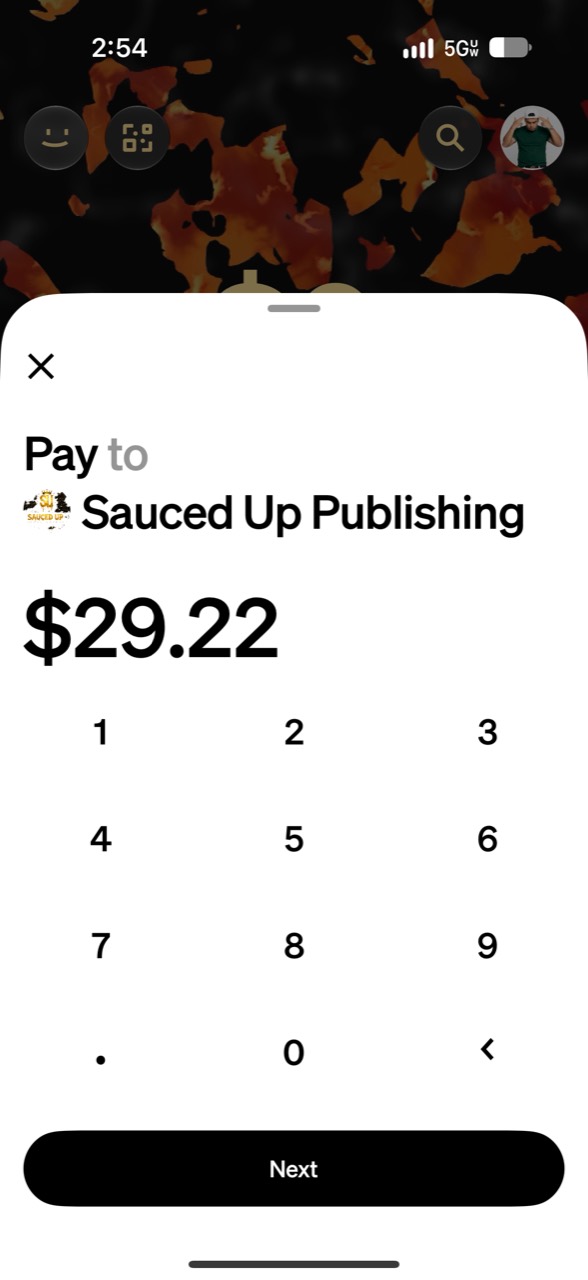
Amount example: $29.22. Always use the total displayed for your order. Tap the picture to enlarge. -
Add the TDCJ / book note.
In Cash App’s For field, enter the TDCJ number, then /, then your selected Book Number. Keep any leading zeros. Tap Review.
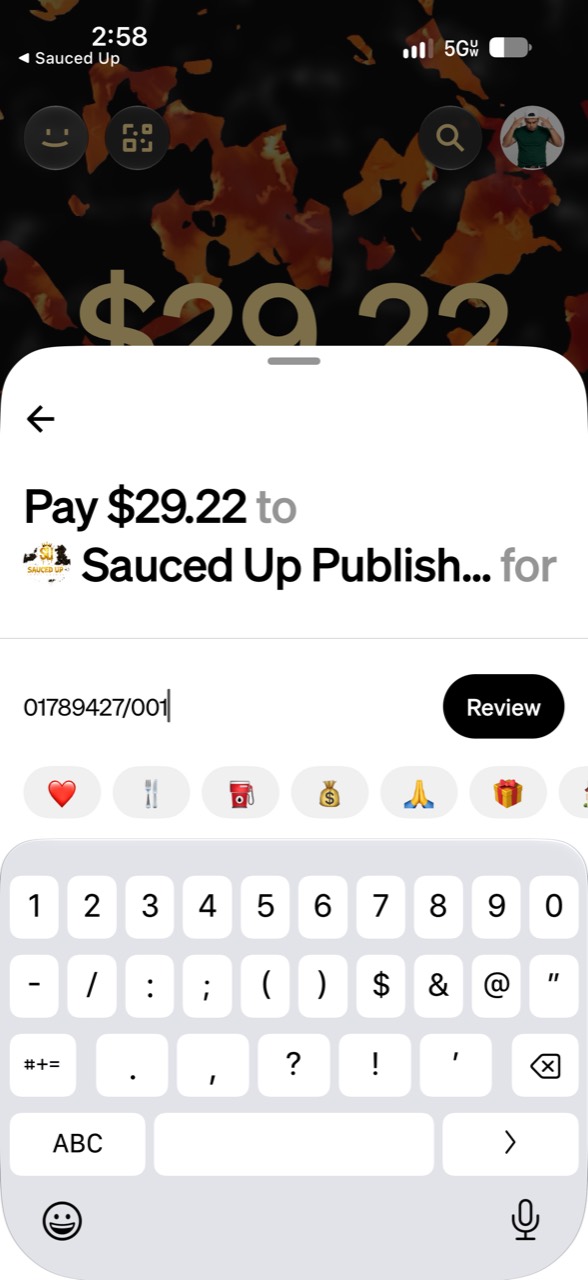
Example note: 01789427/001. Replace both numbers with your recipient’s TDCJ number and your book’s number. -
Review, then pay.
Confirm the business recipient, exact amount, and TDCJ / book reference. Choose your payment source and tap Pay in Cash App. Keep your receipt after payment succeeds.
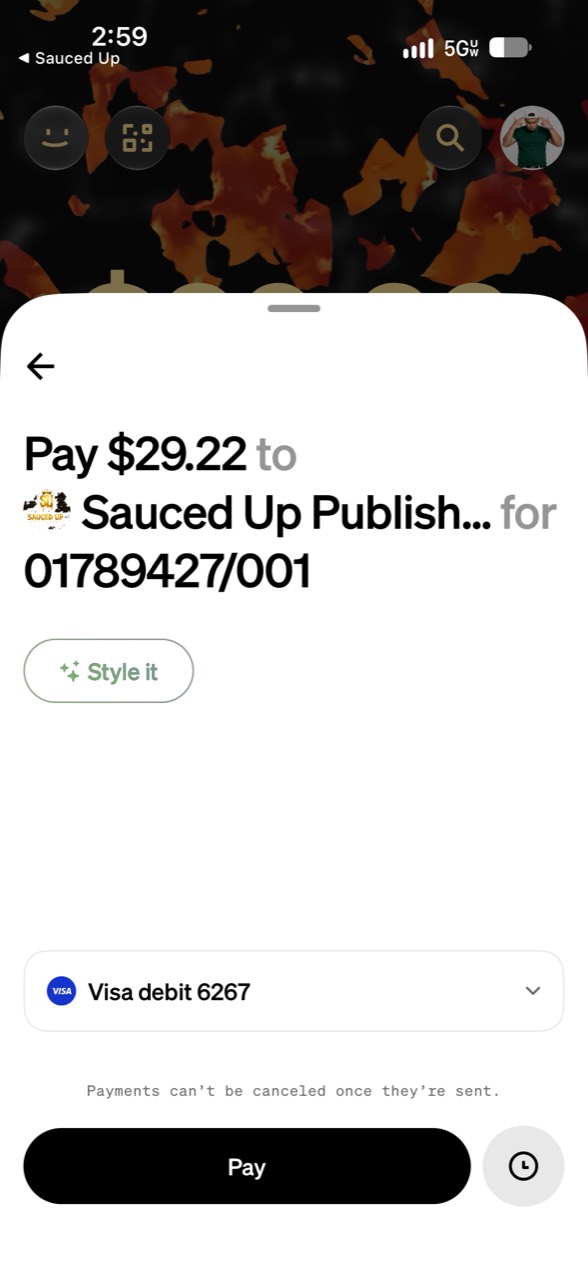
This is the review screen before payment. It is not a receipt or proof of a completed payment.
A completed Cash App payment is an order request. We verify received funds, recipient details and eligibility before fulfillment. For help with a missing or incorrect payment note, contact order assistance.
Institutional checks: contact us first
Institutional-check instructions are not ready for self-service ordering. A verified legal payee and mailing address have not been published. Do not mail a check until Sauced Up Publishing confirms those details and your institution’s permitted procedure.
Request check-order information →Before sending money
Confirm facility eligibility, recipient details, available titles and shipping / refund terms. Young Dolph’s Greatest Hits is Coming Soon and cannot be ordered or prepaid.
Full ordering guide →